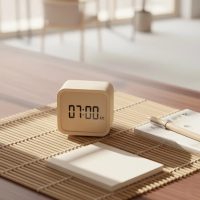
For decades, Sony has been a household name, synonymous with quality electronics, and their range of alarm clocks is no exception. A dependable Sony alarm clock is more than just a device that tells time; it’s a trusty companion for countless mornings, designed to seamlessly integrate into your routine and ensure you start your day right. Whether you’re a heavy sleeper needing a robust buzzer or someone who prefers a gentle radio wake-up, Sony offers a variety of models, from the elegantly simple to feature-rich clock radios, all built on a foundation of reliability and user-friendliness.
Why Choose a Sony Alarm Clock? Unpacking Their Core Strengths
In a world filled with smartphone alarms, a dedicated Sony alarm clock offers distinct advantages: unwavering reliability, intuitive controls, and a focus on essential wake-up functions without the distractions of a mobile device.
Simplicity Meets Reliability: The Sony ICF-C1 Legacy
The Sony ICF-C1, often cited as a classic, embodies the brand’s commitment to straightforward, effective design. Its enduring popularity stems from its core strengths:
- Compact Design: This little cube often fits perfectly on any bedside table, saving precious space while delivering big on performance. Its sleek, minimalist aesthetic blends seamlessly with diverse bedroom decors.
- Clear LED Display: Equipped with a bright, easy-to-read LED display, the ICF-C1 ensures you can check the time at a glance, day or night. Many models offer adjustable brightness, allowing you to customize it to your comfort level, ensuring it’s never too distracting in a darkened room.
- Dependable Alarm (Buzzer/Radio): When it comes to waking up, consistency is key. Sony alarm clocks provide reliable alarm options: a classic, gradually ascending buzzer or your favorite AM/FM radio station. The “gradual wake” feature, though subtle on some models, aims for a gentler awakening.
- Battery Backup: Power outages are an inconvenience, but with a Sony alarm clock featuring battery backup, your alarm settings and time remain intact. This crucial feature ensures you’re never left in the lurch, safeguarding your morning routine against unexpected power interruptions. The common CR2032 lithium coin cell ensures your settings are preserved.
Beyond Basic: Advanced Features in Sony Clock Radios
While the ICF-C1 excels in fundamental reliability, other Sony alarm clock models elevate the experience with enhanced functionalities.
- Dual Alarms for Varied Schedules: For couples with different wake-up times or individuals with weekday and weekend routines, a dual alarm Sony clock radio like the ICF-C1PJ is a game-changer. It allows you to set two independent alarms, providing unparalleled flexibility.
- Projection Clocks (e.g., ICF-C1PJ): Imagine waking up and seeing the time softly projected onto your wall or ceiling. Models such as the Sony ICF-C1PJ offer this innovative feature, allowing you to check the time without straining your eyes or even moving your head. It’s a subtle yet highly practical addition for many users.
- USB Charging Ports (e.g., XDR-C1DBP): Modern life often means charging multiple devices overnight. Some Sony alarm clock models, like the XDR-C1DBP, include a convenient USB port, letting you power up your smartphone or other gadgets right from your bedside table, reducing cable clutter.
- Automatic Time Setting & DST: Say goodbye to fiddling with buttons for daylight saving time adjustments. Several advanced Sony alarm clocks boast automatic time setting, syncing with radio signals to ensure the time is always accurate and adjusts itself for DST without any manual input, offering true set-and-forget convenience.
Key Features to Consider When Buying Your Sony Alarm Clock
Choosing the right Sony alarm clock involves more than just picking a design. It’s about aligning features with your specific needs and preferences for a perfect morning companion.
Display Readability and Brightness Control
|
Our Picks for the Best Alarm Clock in 2026
As an Amazon Associate I earn from qualifying purchases.
|
||
| Num | Product | Action |
|---|---|---|
| 1 | LỖI |

|
| 2 | Sunrise Alarm Clock White Noise Machine: Natural Wake Up Light - Dimmable Clock with Bluetooth Speaker for Bedroom - 25 Sleep Sounds for Baby Adults Kids Putty |
|
| 3 | Mesqool Digital Projector Alarm Clocks for Kids Bedroom,Plug-in Clock with 180° Projection on Ceiling Wall,Dual Alarms for Heavy Sleepers,Battery Backup,USB Charging Port,Easy-to-Set,Dimmer,Snooze |
|
| 4 | Wake Up Light Sunrise Alarm Clock for Kids, Heavy Sleepers, Bedroom, with Sunrise Simulation, Sleep Aid, Dual Alarms, FM Radio, Snooze, Nightlight, Daylight, 7 Colors, 7 Natural Sounds, Ideal for Gift |
|
| 5 | Mesqool Projection Alarm Clock, Digital Clock with 180° Rotatable Projector, 5-Level Brightness Dimmer, Clear LED Display, USB Charger, Progressive Volume, 9mins Snooze,12/24H, for Bedroom |
|
| 6 | Amazon Basics Small Digital Oval Alarm Clock With LED Display, Nightlight & Battery Backup, Black, 4.5 x 3.5 x 2.4 Inches |
|
| 7 | Philips SmartSleep Wake-up Light, Colored Sunrise and Sunset Simulation, 5 Natural Sounds, FM Radio & Reading Lamp, Tap Snooze, HF3520/60 |
|
| 8 | Swissbrand Sunrise Alarm Clock with Multicolor LED Light, USB Charging & Indoor Temperature – Concrete-Print Digital Clock for Bedroom Nightstand |
|
| 9 | Digital Projection Alarm Clocks for Bedrooms - Large LED Display, 180° Rotatable Projector, 5-Level Dimmer,USB Charger,Battery Backup,Loud Dual Alarms for Kids Elderly,Heavy Sleepers,Snooze,12/24H,DST |
|
| 10 | Amazon Echo Spot (newest model), Great for nightstands, offices and kitchens, Smart alarm clock with Alexa+ Early Access, Glacier White |
|
Look for a Sony alarm clock with an LED display that’s clear and legible from your sleeping position. Crucially, ensure it offers robust brightness control – ideally multiple levels or a full dimmer – so the light doesn’t disrupt your sleep, even if you prefer a pitch-black room. Many users highlight this as a make-or-break feature.
Alarm Types and Customization
Do you prefer a gentle awakening or a jolt to get you out of bed? A good Sony alarm clock should offer choices: a traditional buzzer (often with a gradual increase in volume) or a radio alarm. For radio alarms, consider if the volume can be set independently of the radio’s general listening volume, ensuring it’s loud enough to wake you up. Also, check for snooze duration customization.
Radio Performance (AM/FM, Digital Tuning)
If you plan to use your Sony alarm clock as a radio, assess its reception capabilities. While many offer decent AM/FM, some users report varying signal quality. More advanced models might include digital tuning, allowing for easier station selection and presets, a significant upgrade from manual tuning wheels.
Power Backup Solutions
A battery backup is non-negotiable for reliable wake-up calls during power outages. Confirm the type of battery (CR2032 is common for many Sony alarm clocks) and ease of replacement. This feature provides peace of mind, knowing your alarm will still go off even if the power grid takes a nap.
Connectivity and Smart Features
Beyond basic alarm functions, consider if you need features like a USB charging port for your phone or perhaps even Bluetooth connectivity for streaming audio (though this is less common in traditional Sony alarm clocks and more in their clock radio ranges). These can add significant convenience to your bedside setup.
Setting Up Your Sony Alarm Clock: A Quick Guide
While specific steps may vary slightly by model, especially between classic Sony Dream Machine units and newer iterations, the process for setting your typical Sony alarm clock is usually straightforward. Let’s use the popular ICF-C1 as a common example.
How to Set the Time
Most Sony alarm clocks, including the ICF-C1, have a dedicated “Clock” or “Time Set” button. Press and hold this button until the hour display starts flashing. Use the “+” or “-” buttons (sometimes labeled “Hour” and “Minute”) to adjust the time. Press the “Clock” or “Time Set” button again to confirm each setting. Some advanced Sony alarm clocks feature automatic time synchronization, simplifying this process significantly.
How to Set the Alarm
To set the alarm on your Sony alarm clock:
- Select Alarm Mode: Locate the “Alarm Mode” switch, typically on the top or side. Slide it to “RADIO” (to wake to a station) or “BUZZ” (for the traditional alarm sound).
- Adjust Alarm Time: Once the mode is selected, the alarm time will briefly appear. While it’s displayed (or by pressing an “Alarm Set” button), use the “+” or “-” buttons to adjust the desired wake-up time. The alarm icon will flash during adjustment and become solid once set.
- Confirm Settings: Ensure your chosen radio station is tuned in and the volume is appropriate if you selected the radio alarm.
Adjusting Alarm Volume and Sound
For radio alarms, you’ll usually adjust the radio’s main volume slider or buttons. For buzzer alarms, some Sony alarm clocks have a fixed, gradually increasing volume, while others might offer low/high settings. Familiarize yourself with your specific model’s controls to ensure your wake-up experience is just right.
Daylight Saving Time Adjustment
On many Sony alarm clocks, especially the ICF-C1 series, there’s often a “DST” button. Press and hold this button for a few seconds to toggle Daylight Saving Time on or off. The display will typically show “DST” when activated. More advanced models handle this automatically.
Troubleshooting Common Issues with Your Sony Alarm Clock
Even the most reliable Sony alarm clocks can occasionally present minor quirks. Here’s how to tackle some common issues:
Radio Reception Woes
If your Sony alarm clock radio has poor reception, try these steps:
- Adjust Antenna: The AC power cord often doubles as the FM antenna. Ensure it’s fully extended and not coiled. For AM, rotate the unit horizontally to find the best signal, as it uses a built-in ferrite bar antenna.
- Relocate: Move the clock away from other electronic devices, metal surfaces (like a steel desk), or walls that might cause interference.
- Check Interference: Large appliances or even certain LED lights can cause radio interference.
Display Brightness Concerns
If you find the display too bright even on its lowest setting, a common feedback point for some older Sony alarm clocks, consider these solutions:
- Manual Dimming: While not ideal, a piece of dark, translucent film or a small cloth can be used to cover a portion of the display at night, without completely obscuring the time.
- Angle Adjustment: Turning the clock slightly away from your direct line of sight can make a difference.
- Upgrade Consideration: If persistent brightness is a major issue, newer Sony alarm clock models or alternative brands might offer more extensive dimming options, including completely off displays (with projection).
Alarm Not Sounding
If your Sony alarm clock fails to go off:
- Check Alarm Mode: Ensure the “Alarm Mode” switch is set to “RADIO” or “BUZZ,” not “OFF.”
- Verify Alarm Time: Double-check that the alarm time is correctly set and the alarm icon is visible on the display.
- Radio Volume/Station: If using the radio alarm, confirm that a station is tuned in and the volume is turned up sufficiently. An expert in sleep technology, Dr. Elara Vance, states, “A reliable alarm clock is a foundational tool for healthy sleep hygiene. Sony’s dedication to robust, straightforward functionality makes their devices a staple for consistent wake-up routines, minimizing the digital distractions of smartphones.”
- Power & Battery Backup: Confirm the clock is plugged into a working outlet and the backup battery is fresh. A low backup battery might prevent the alarm from sounding during a power interruption.
FAQ
Q1: What is a Sony Dream Machine?
A1: “Sony Dream Machine” is a popular historical branding for many of Sony’s alarm clock radios, typically featuring digital displays, AM/FM radio tuners, and various alarm functions, emphasizing ease of use and reliability.
Q2: How do I turn off the alarm on my Sony alarm clock?
A2: Most Sony alarm clocks have an “Alarm Reset/Off” button or a dedicated alarm mode switch. To temporarily silence the alarm, press the “Snooze” button. To turn it off completely for the day, press the “Alarm Reset/Off” button, or switch the alarm mode to “OFF.”
Q3: Do Sony alarm clocks have battery backup?
A3: Yes, many Sony alarm clocks, including popular models like the ICF-C1, include a battery backup feature, often using a CR2032 lithium coin cell. This ensures the time and alarm settings are preserved during power outages.
Q4: Can I set dual alarms on a Sony alarm clock?
A4: Many advanced Sony alarm clock models, such as the ICF-C1PJ and XDR-C1DBP, offer dual alarm functionality, allowing you to set two separate wake-up times, which is ideal for different weekday and weekend schedules or for multiple users.
Q5: Is the display brightness adjustable on Sony alarm clocks?
A5: Most Sony alarm clocks feature adjustable display brightness, typically with multiple levels. While this is a welcome feature, some users occasionally find even the dimmest setting too bright in a completely dark room, depending on the specific model.
Q6: What does the projection feature do on a Sony alarm clock?
A6: The projection feature, found on models like the Sony ICF-C1PJ, projects the time onto a wall or ceiling. This allows you to view the time discreetly without needing to look at the main display, especially convenient in the dark.
Conclusion
A well-chosen Sony alarm clock can be a cornerstone of a productive morning and a peaceful night’s sleep. With a legacy built on reliability, intuitive design, and a range of features from the essential to the innovative, Sony continues to offer exceptional wake-up solutions. Whether you prioritize simplicity, advanced projection, or convenient USB charging, there’s a Sony alarm clock designed to fit your lifestyle. By understanding their core strengths and considering your personal needs, you can confidently select a device that not only wakes you up but also enhances your daily routine. Explore the world of Sony alarm clocks and discover the difference a dedicated, quality timepiece can make.
Get our weekly buyer guide
Practical specs, not advice. Unsubscribe anytime.