For decades, the Sony Dream Machine Alarm Clock was more than just a device to wake us up; it was a reliable companion on our nightstands, a silent sentinel that bridged our dreams and the dawn. In an increasingly complex world, these iconic clock radios carved out a special place, offering simplicity, functionality, and a touch of reliable charm. As a veteran in the alarm clock domain and a content creator for Rzygw.com, I’ve seen countless devices come and go, but few have left a mark quite like the Sony Dream Machine. It epitomizes practical design and consistent performance, a true testament to thoughtful engineering that stood the test of time, influencing how generations began their day.
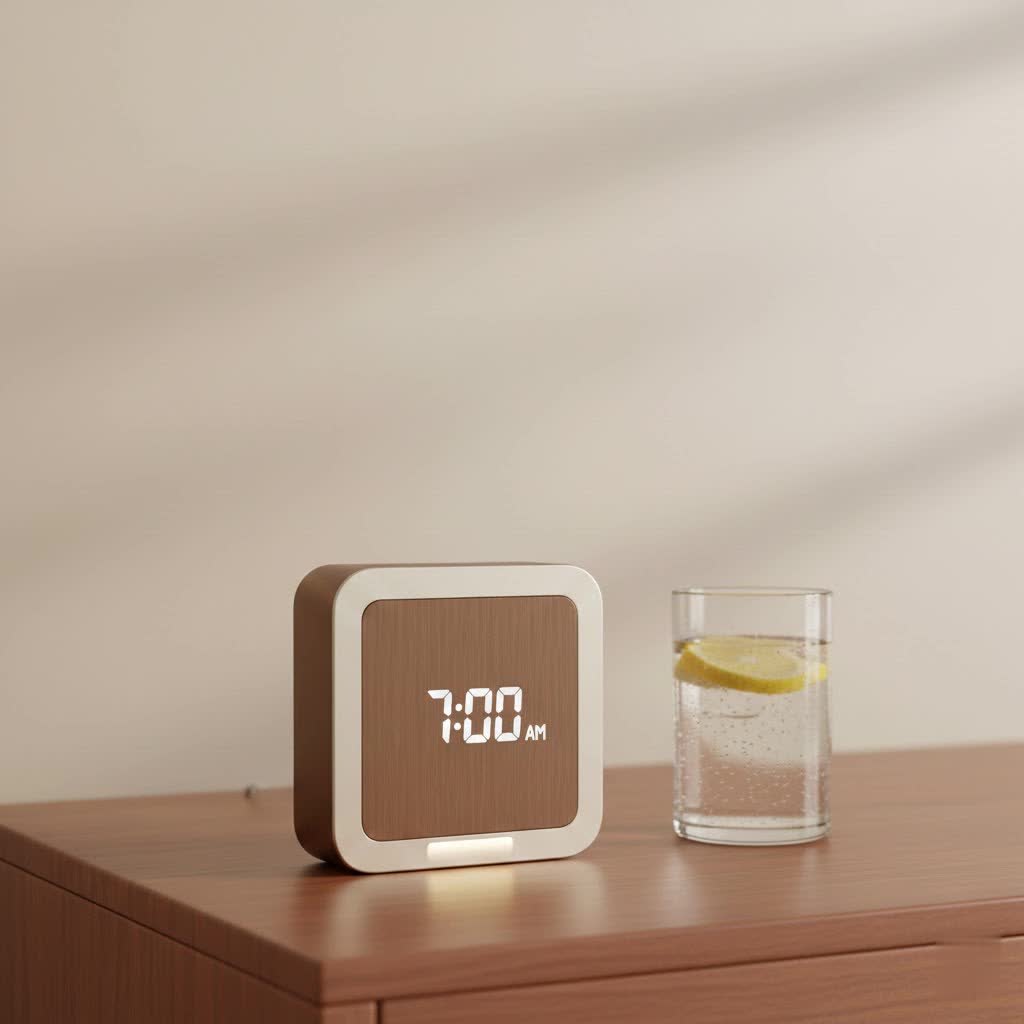
What Makes a Sony Dream Machine Alarm Clock So Special?
At its heart, a Sony Dream Machine alarm clock represents a masterful blend of intuitive design and robust functionality. From its initial introduction, the line aimed to make waking up a more pleasant experience, moving away from jarring mechanical alarms to the softer strains of a radio program. This seemingly simple innovation revolutionized the morning routine for many. While today’s smart devices offer a plethora of features, the Dream Machine excelled by focusing on its core purpose: delivering accurate time and a dependable wake-up call, all encased in a user-friendly package. Its consistent quality and straightforward operation are precisely what cemented its place in homes around the globe.
A Journey Through Time: The History of the Sony Dream Machine
The story of the Sony Dream Machine began in the mid-1960s, a period when Sony sought to modernize the alarm clock experience. The inaugural model, the 8FC-59, launched in 1968, offered a sleek, digital display and an integrated radio, a significant departure from the traditional wind-up clocks of the era. This innovative design quickly gained popularity, becoming a staple in many households by the early 1970s. [cite: 1 (history), 2 (history)]
Throughout the 1980s and 1990s, the Dream Machine evolved, introducing features like the iconic “Dream Bar” snooze mechanism and programmable timers that further enhanced user convenience. Models such as the ICF-C120 and ICF-C218 became household names, praised for their reliability and ease of use. [cite: 2 (history)]
As technology advanced into the 2000s, the Dream Machine adapted, incorporating CD players in units like the ICF-CD855V and ICF-CD3iP, and even iPod/iPhone docking stations in models such as the ICF-CS15iP and ICF-CL75iP. Some later iterations also featured digital photo frames or nature sounds, continually pushing the boundaries of what a bedside clock radio could be. [cite: 1 (search results), 2 (search results), 5 (search results ICF-CD3iP)] However, with the rise of smartphones offering integrated alarm functions and media playback, Sony eventually discontinued the Dream Machine line in 2011, marking the end of an era that spanned over four decades. [cite: 1 (history), 2 (history)] Despite its discontinuation, many vintage Sony Dream Machine alarm clock models remain in use today, cherished for their durability and nostalgic appeal. [cite: 2 (history)]
Key Features That Defined the Sony Dream Machine Alarm Clock
The success of the Sony Dream Machine alarm clock can be attributed to a consistent set of features that delivered on its promise of reliable functionality.
Reliable Timekeeping and Display
|
Our Picks for the Best Alarm Clock in 2026
As an Amazon Associate I earn from qualifying purchases.
|
||
| Num | Product | Action |
|---|---|---|
| 1 | LỖI |

|
| 2 | Amazon Basics Small Digital Oval Alarm Clock With LED Display, Nightlight & Battery Backup, Black, 4.5 x 3.5 x 2.4 Inches |
|
| 3 | Wake Up Light Sunrise Alarm Clock for Kids, Heavy Sleepers, Bedroom, with Sunrise Simulation, Sleep Aid, Dual Alarms, FM Radio, Snooze, Nightlight, Daylight, 7 Colors, 7 Natural Sounds, Ideal for Gift |
|
| 4 | Swissbrand Sunrise Alarm Clock with Multicolor LED Light, USB Charging & Indoor Temperature – Concrete-Print Digital Clock for Bedroom Nightstand |
|
| 5 | Mesqool Projection Alarm Clock, Digital Clock with 180° Rotatable Projector, 5-Level Brightness Dimmer, Clear LED Display, USB Charger, Progressive Volume, 9mins Snooze,12/24H, for Bedroom |
|
| 6 | Amazon Echo Spot (newest model), Great for nightstands, offices and kitchens, Smart alarm clock with Alexa+ Early Access, Glacier White |
|
| 7 | Digital Projection Alarm Clocks for Bedrooms - Large LED Display, 180° Rotatable Projector, 5-Level Dimmer,USB Charger,Battery Backup,Loud Dual Alarms for Kids Elderly,Heavy Sleepers,Snooze,12/24H,DST |
|
| 8 | Philips SmartSleep Wake-up Light, Colored Sunrise and Sunset Simulation, 5 Natural Sounds, FM Radio & Reading Lamp, Tap Snooze, HF3520/60 |
|
| 9 | Mesqool Digital Projector Alarm Clocks for Kids Bedroom,Plug-in Clock with 180° Projection on Ceiling Wall,Dual Alarms for Heavy Sleepers,Battery Backup,USB Charging Port,Easy-to-Set,Dimmer,Snooze |
|
| 10 | Sunrise Alarm Clock White Noise Machine: Natural Wake Up Light - Dimmable Clock with Bluetooth Speaker for Bedroom - 25 Sleep Sounds for Baby Adults Kids Putty |
|
One of the most striking aspects of any Sony Dream Machine was its clear, easy-to-read digital display. Over the years, these displays evolved from mechanical split-flap to Vacuum Fluorescent Displays (VFDs) and eventually to energy-efficient LEDs, typically glowing in green, red, or blue. These large, bright digits ensured that checking the time in the dark was never a struggle. [cite: 3 (history)]
Dual Alarms and Wake-Up Options
Many Dream Machine models offered the convenience of dual alarms, allowing users to set two distinct wake-up times, perfect for couples or for weekdays versus weekends. Users could choose to wake up to a traditional buzzer, their favorite AM/FM radio station, or, in some later models like the ICF-C717PJ, a selection of soothing nature sounds such as ocean waves or birdsong. [cite: 2 (search results), 3 (search results)]
AM/FM Radio Tuner
Integrated AM/FM radio tuners were a standard feature, often equipped with presets for quick access to favorite stations. The radio quality was generally praised for being clear and static-free, providing a pleasant way to start the day or simply enjoy some background music. [cite: 3 (search results)]
The Iconic “Dream Bar” Snooze
A distinguishing characteristic of many Sony Dream Machine alarm clocks was the generously sized “Dream Bar” snooze button located on top. This wide, easily accessible bar allowed users to effortlessly hit snooze, granting those precious extra minutes of sleep without fumbling. The name itself, “Dream Bar,” evoked a sense of gentle transition from sleep to wakefulness. [cite: 3 (history), 4 (history)]
Power Backup
Understanding the critical importance of an alarm clock, many Dream Machine models included a battery backup feature. This ensured that even during a power outage, the clock would maintain the correct time and, crucially, that the alarm would still sound, preventing unwelcome tardiness. A small lithium battery typically provided this memory backup. [cite: 2 (search results), 3 (how to set)]
Advanced Features (Later Models)
As the line progressed, Sony introduced more sophisticated functionalities. Some models integrated CD players, while others boasted iPod/iPhone docks, allowing users to wake up to their personal music libraries and charge their devices simultaneously. The ICF-CL75iP even combined the alarm clock with a digital photo frame, adding a visual element to the bedside table. Many modern Dream Machines also featured automatic Daylight Saving Time (DST) adjustment, eliminating the need for manual changes twice a year. [cite: 2 (search results), 3 (how to set), 4 (how to set)]
Popular Sony Dream Machine Models Through the Years
While countless models graced nightstands, a few Sony Dream Machine alarm clock iterations particularly stood out for their innovation and popularity:
- ICF-C218: A beloved classic, known for its large, green LED display and straightforward dual alarm functionality. It was a no-frills, highly reliable choice for many years.
- ICF-CD3iP: This model merged the convenience of an iPod/iPhone dock with a CD player and clock radio, offering multiple audio options in a compact design. [cite: 5 (search results ICF-CD3iP)]
- ICF-CL75iP: A more advanced unit, this Dream Machine combined an alarm clock, iPod dock, and a 7-inch digital photo frame, showcasing Sony’s ambition to integrate more multimedia features into bedside devices. [cite: 1 (search results)]
- ICF-C717PJ: Popular for its projection feature, allowing users to project the time onto a ceiling or wall, and for offering a selection of nature sounds alongside traditional alarm options. [cite: 2 (search results)]
These models, whether simple or feature-rich, consistently delivered on the promise of a reliable and user-friendly alarm clock experience.
How to Set Up Your Sony Dream Machine Alarm Clock (General Guide)
Setting up a Sony Dream Machine alarm clock is typically a straightforward process, designed for ease of use. While specific button names might vary slightly by model, the general steps remain consistent.
Setting the Clock
- Plug it in: Ensure your Sony Dream Machine is plugged into a power outlet. The display may flash “AM 12:00” or similar. [cite: 1 (how to set)]
- Enter Clock Setting Mode: Locate and press and hold the “CLOCK” or “TIME SET” button until the time display begins to flash, often accompanied by a beep. [cite: 1 (how to set), 3 (how to set)]
- Adjust Hour and Minute: Use the “TUNING/TIME SET +/-” buttons (or dedicated HOUR/MINUTE buttons) to adjust the hour. Pay attention to AM/PM indicators. Press the “CLOCK” button again to move to the minute setting, then adjust. [cite: 1 (how to set), 4 (how to set)]
- Set Year, Month, Day (if applicable): For models with a calendar function, you’ll repeat this process, pressing “CLOCK” to cycle through year, month, and day settings, adjusting each with the +/- buttons. [cite: 3 (how to set), 4 (how to set)]
- Confirm: Once the correct time (and date) is set, press the “CLOCK” button one last time to confirm. Two short beeps usually sound, and the clock starts from zero seconds. [cite: 3 (how to set)]
Setting the Alarm
- Enter Alarm Setting Mode: Press and hold the “ALARM SET” or “ALARM A/B SET” button until the alarm time display flashes. [cite: 1 (how to set), 2 (how to set)]
- Set Wake-Up Time: Use the “TUNING/TIME SET +/-” buttons to set your desired wake-up hour and minute, again noting AM/PM. [cite: 1 (how to set)]
- Choose Alarm Source: Use the “ALARM MODE” or “WAKE UP” button to select your preferred wake-up sound: “BUZZER,” “RADIO,” or “NATURE SOUNDS” (if available). [cite: 1 (how to set), 2 (how to set)] If choosing radio, ensure you’ve preset a station.
- Adjust Alarm Volume: Use the main volume control to set the alarm’s loudness to your preferred level.
- Activate Alarm: Slide the “ALARM ON/OFF” switch to the “ON” position. A small indicator light or icon on the display will confirm the alarm is active. [cite: 1 (how to set)]
Programming Radio Presets
- Turn on the Radio: Press the “RADIO ON/OFF” or “RADIO/AUX” button. [cite: 1 (how to set)]
- Tune to Desired Station: Use the “TUNING +/-” buttons to find the AM or FM radio station you wish to save.
- Save as Preset: Press and hold the “PRESET” button until a preset number (e.g., P1, P2) flashes on the display. Use the “TUNING +/-” buttons to select the desired preset number.
- Confirm: Press the “PRESET” button again to save the station. The display will confirm the station has been saved. [cite: 1 (how to set)]
Daylight Saving Time (DST) Adjustment
Many modern Sony Dream Machine alarm clocks include an automatic DST feature. If your model has a “DST” button, you can often press and hold it to toggle the automatic adjustment on or off, or to manually adjust the time forward or backward for daylight saving. [cite: 3 (how to set), 4 (how to set)]
Adjusting Display Brightness
For comfortable viewing, especially at night, many Dream Machine models allow for display brightness adjustment. This is often done by repeatedly pressing the “SNOOZE” button when the alarm is not active, or by a dedicated “BRIGHTNESS” button, cycling through various settings (e.g., high, medium, low, off). [cite: 4 (review, ICF-C717PJ), 5 (review, ICF-CD3iP)]
Why the Sony Dream Machine Alarm Clock Still Holds a Place in Our Hearts
Despite the ubiquity of smartphones with their alarm capabilities, the Sony Dream Machine alarm clock continues to resonate with many, and for good reasons.
- Durability and Longevity: Many original Dream Machines are still functioning decades later, a testament to Sony’s manufacturing quality. They were built to last, unlike many disposable electronics today.
- Simplicity in an Age of Complexity: In a world saturated with smart devices demanding constant attention, the Dream Machine offers a refreshing return to simplicity. It performs its core functions exceptionally well without unnecessary distractions. As Dr. Evelyn Reed, a renowned Sleep Technology Historian, often notes, “The Sony Dream Machine offered a singular, reliable purpose that modern devices, with their myriad functions, sometimes struggle to deliver consistently.”
- Nostalgia and Design Aesthetic: For many, the sight of a glowing Dream Machine display evokes powerful feelings of nostalgia. Its clean, often minimalist design, particularly the iconic “digicube” models of the ’80s and ’90s, held a futuristic appeal that remains charmingly retro today. It was a symbol of dependable technology, elegantly designed. [cite: 3 (history), 4 (history)]
Frequently Asked Questions (FAQ)
Q1: What does “Dream Machine” mean?
A: The name “Dream Machine” was chosen to evoke the transition from sleep to wakefulness. Sony even branded the snooze button as the “Dream Bar,” suggesting a gentle extension of one’s dreams before starting the day. [cite: 3 (history), 4 (history)]
Q2: Are Sony Dream Machine alarm clocks still made?
A: Sony officially discontinued the “Dream Machine” line in 2011. While Sony still produces clock radios, they no longer carry the specific “Dream Machine” branding or the iconic “Dream Bar” snooze button. [cite: 1 (history), 2 (history), 4 (history)]
Q3: How do I perform a factory reset on my Dream Machine?
A: While there isn’t a universal “factory reset” button, removing the backup battery (usually a lithium coin cell) and unplugging the unit from power for a few minutes will typically clear all settings, returning it to its default state when re-powered.
Q4: Can I use my smartphone as an alarm instead of a dedicated clock radio?
A: Absolutely! Many people use smartphones as alarms due to their versatility. However, dedicated alarm clocks like the Sony Dream Machine often provide a more reliable wake-up experience, are less prone to software glitches, and keep your phone out of the bedroom, promoting better sleep hygiene.
Q5: What was the “Dream Bar”?
A: The “Dream Bar” was Sony’s trademarked name for the large, prominent snooze button found on top of many Dream Machine alarm clock models. Its design made it easy to hit in a groggy state, offering a few extra minutes of sleep. [cite: 3 (history), 4 (history)]
Conclusion
The Sony Dream Machine alarm clock, with its rich history and unwavering commitment to reliable timekeeping and gentle awakenings, remains a benchmark in bedside technology. From its humble beginnings in the 1960s to its evolution into a multimedia hub, it consistently delivered on its promise. While the brand may have retired, the spirit of the Dream Machine lives on in its enduring legacy of quality, simplicity, and design that resonated deeply with users. If you’re seeking a dependable and straightforward way to manage your mornings, revisiting the principles that made the Sony Dream Machine so iconic might just be the wake-up call you need for a truly refreshed start.
